MacMouse Logo
Welcome to Hawai'i's
MacMouse .COM
100% Local Oahu Support

Got Mac challenges? MacMouse gives fast, friendly, patient relief!

Fast, friendly, and patient Apple tech support for individuals and home offices across Oahu. Get your issues solved today.

Call (808) 921-8294

100% Confidential & Secure Personal Support
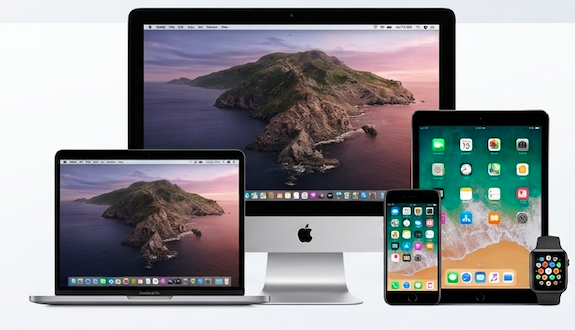
Apple Family Devices - Mac, iPad, iPhone, Apple Watch

4.9 / 5 Stars

10+ Legacy Oahu Reviews

Serving Oahu Since 1992

30+ Years Experience

100% Confidential

Privacy Guaranteed

Local Island Support

Serving All of Oahu

3 Simple Steps to Fix Your Apple Tech

We remove the frustration and get you back on track quickly.

1

Request Assistance

Fill out our 30-second form or give us a quick call at (808) 921-8294.

2

Free Initial Diagnostic

We discuss your issue, review options, and outline a straightforward plan.

3

Problem Solved

Your Mac, iCloud, or devices are restored to smooth working order.

How can MacMouse help you today?

Select an option below to get personalized Apple guidance.

New Mac & Upgrades

Purchasing advice, transferring files from old Macs/PCs, operating system upgrades, and seamless migration.

iCloud & Apple Accounts

iCloud storage cleanup, Apple ID recovery, password management, keychain sync, and family sharing setup.

Devices & Sync

Keep your Mac, iPhone, iPad, Apple Watch, and backups in perfect synchronization without lost data.

Applications & Setup

Microsoft Office, Apple Mail, Photos organization, printer connections, and custom system settings.

Problems & Support

Slow performance, pop-ups, malware cleanup, email failures, Wi-Fi issues, and general troubleshooting.

Not Sure? Get Help

Have a unique situation or aren't sure where to start? We'll listen and figure out the best approach together.

Trusted Across Oahu Since 1992

What Our Clients Say

Decades of dependable personal service, problem-solving, and aloha spirit.

"Again, Rolf has saved my Mac. THIS IS ABSOLUTELY THE BEST MAC PLACE EVER."

Pat Meyers

Honolulu, HI

"We recently relocated to Hawaii and our external drive... would not mount. Rolf restored our pictures and videos — 10 years of memories saved! Mahalo nui loa Uncle Rolf!"

James Mach

Oahu Home Office

"I have known Rolf Nordahl for many years and have called on him several times for jobs big and small. He is consistently cheerful, optimistic, fair, honest, and solution-oriented... Five stars!"

Pam Chambers

Pam Chambers Consulting

Essential Maintenance Plan

The 5-Year Computer Refresh Program

Has your Mac or PC been running for 5+ years without maintenance? Prevent sudden crashes, and extend your system’s lifespan.

Our Recommended 4-Stage Service Order

We perform these vital services in a strict, battle-tested sequence to protect your data before opening or modifying hardware.

Stage 1 • Crucial Prerequisite Step 1 of 4

Safety & Data Verification First

1

Backup Verification & Redundancy Setup

Before touching internal hardware, we audit Time Machine or cloud backups to guarantee 100% data safety.

Stage 2 • Internal Restoration Step 2 of 4

Hardware & Thermal Refresh

2

Internal Dust & Fan De-Crusting

Clears lint blocking heat sinks, eliminating fan noise and preventing CPU thermal throttling.

3

Fresh Thermal Paste Application

Replaces 5-year-old dried compound on CPU/GPU chips to drop internal operating temperatures by 15°–25°F.

Stage 3 • Speed & Component Boost Step 3 of 4

Speed & Storage Hardware Upgrades

4

Solid State Drive (SSD) Upgrade

Replaces failing mechanical HDDs with ultra-fast Solid State Storage, speeding up boot times up to 10x faster.

5

Storage Health & S.M.A.R.T Check

Scans existing storage hardware for hidden bad sectors and clears multi-gigabyte temporary caches.

6

Battery Health & Replacement

Tests battery cycle counts and replaces expanding or degraded cells to protect trackpads and case aluminum.

7

RAM Expansion & Memory Audit

Upgrades system memory to prevent browser slowdowns and freezing when running multiple applications.

Stage 4 • Final Software Tune-Up Step 4 of 4

OS Clean Reinstall & Security Audit

8

Clean Operating System Reinstall

Clears 5 years of accumulated system registry bloat, background daemons, and orphan files for a clean slate.

9

Malware & Adware Deep Clean

Removes hidden pop-up software, rogue browser extensions, and unauthorized startup items.

Ready to revive your 5+ year old computer?

Schedule a free diagnostic assessment with MacMouse on Oahu. We'll inspect your machine and recommend the exact services it needs.

Flexible Service Selection

Build My Own Plan

Need specific help? Order individual stages standalone, or check off the exact combination your system requires.

Individual Service Stages

Select any single stage below, or mix and match stages to build a custom maintenance package.

Stage 1 Data Protection

Safety & Data Backup Verification

Thorough audit of your existing Time Machine or cloud backup routines, redundant drive setup, and full verification before any service work begins.

  • Time Machine & Cloud Audit
  • Backup Integrity & Restore Test
  • Pre-repair Snapshot Protection
Stage 2 Cooling & Cleaning

Hardware Cleanout & Thermal Paste

Complete internal chassis cleanout, fan de-crusting, and fresh thermal paste application on CPU/GPU chips.

  • Dust & Lint Removal
  • High-Performance Thermal Compound
Stage 3 Speed & Hardware

SSD, RAM & Battery Component Boost

Hardware upgrades including Solid State Storage (SSD) installation, S.M.A.R.T health diagnostics, RAM memory expansion, and laptop battery replacement.

  • High-Speed SSD Upgrade
  • Battery Health Assessment
  • RAM Capacity Expansion
Stage 4 Software Clean

OS Reinstall & Security Deep Clean

Full operating system reinstallation, malware/adware removal, startup daemon optimization, and removal of accumulated system bloatware.

  • Clean macOS / OS Installation
  • Malware & Pop-Up Removal
  • System Startup Optimization
Custom Package Builder

Combine 2 or More Stages

Check off the exact stages you want to combine into a single, customized service session.

Selected Package Configuration:

Stage 1 + Stage 2 Bundle